
Initial Outlet Setup
Setting up your outlet correctly is the foundation of everything in Butter. Take your time with this process — it will save you hours of work later!
Why Setup Matters
Before you can use Butter to manage your outlet, you need to:
- Tell the system where you store things (storage locations)
- Tell the system what items you have (inventory items)
- Tell the system how much of each item you currently have (first stock count)
Once this is done, Butter will automatically track everything for you. But if the initial setup is wrong, the numbers will never be accurate.
Think of it like setting up a new phone — you need to enter your information once, and then everything works smoothly from there.
The Setup Process
Here are the four steps to set up your outlet:
Set Up Storage Locations
Define all the places in your outlet where you store inventory (freezer, dry storage, etc.)
Review Inventory Items
Check which inventory items are assigned to your outlet and remove any you don't use.
Assign Items to Locations
Link each inventory item to the storage location(s) where you keep it.
Complete Your First Stock Count
Count everything in your outlet to establish the starting inventory levels.
How Inventory Works After Setup
Once you've completed the initial setup and your first stock count, Butter will automatically calculate your stock levels based on everything that happens:
| Action | Effect on Inventory |
|---|---|
| Receive a purchase order | Stock levels increase |
| Log production (making items) | Stock levels increase |
| Log waste | Stock levels decrease |
| Complete a customer order | Stock levels decrease (based on recipes) |
| Do a manual stock count | Stock levels adjust to match your actual count |
This is why the initial setup is so important — it establishes the baseline that all future calculations are based on.
Variance Tracking
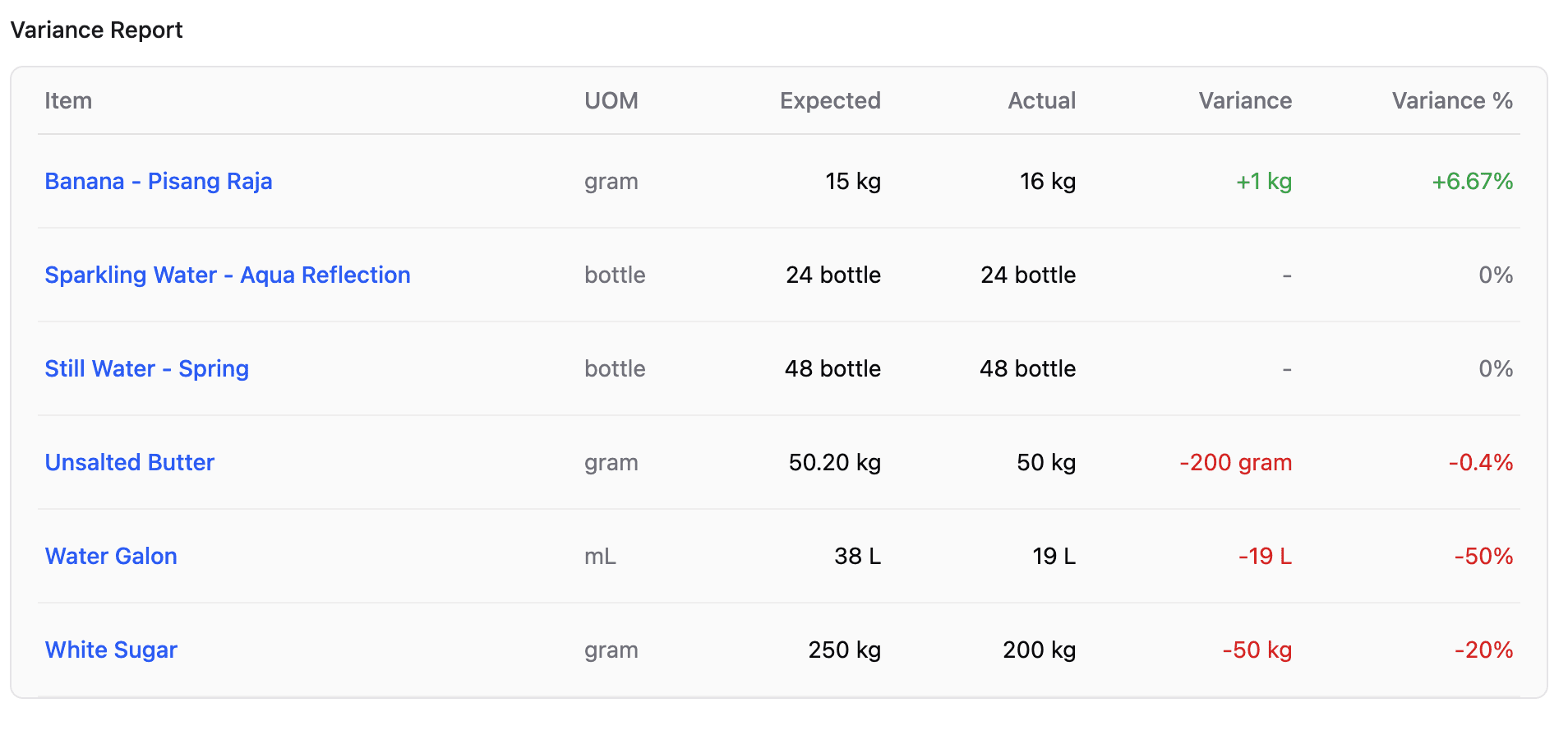
When you do a manual stock count later, Butter will show you the variance — the difference between what the system thinks you have and what you actually counted. This helps you identify:
- Theft or loss
- Recipe inaccuracies
- Data entry errors
- Waste that wasn't logged
Ready to Start?
Let's begin with setting up your storage locations.